Multi-Chain Wallet
Make Blockchain Simple
Blocto is the largest smart contract wallet on Flow. I rebuilt it end to end so even assets scattered across chains stay easy to manage.
Senior Product Designer
End-to-end · 2021–2024
Token, NFT, DeFi
Blocto set out to make a wallet anyone could use. The usual ones start you off with a seed phrase, a string of words that locks you out for good the moment you lose it. For most, that’s the wall. Blocto saw the wallet as the way into Web3, and the way in had to be simple.
Make Blockchain Simple
Into Web3 in seconds
An email is all it takes. Private-key wallets put everything on one seed phrase: lose it and the funds are gone for good. Blocto manages the keys for you, so a lost key never costs you your assets. One email, in place of twelve words you have to guard for life.
Getting in was easy. Managing what you owned wasn’t.
Pain points · Users kept asking
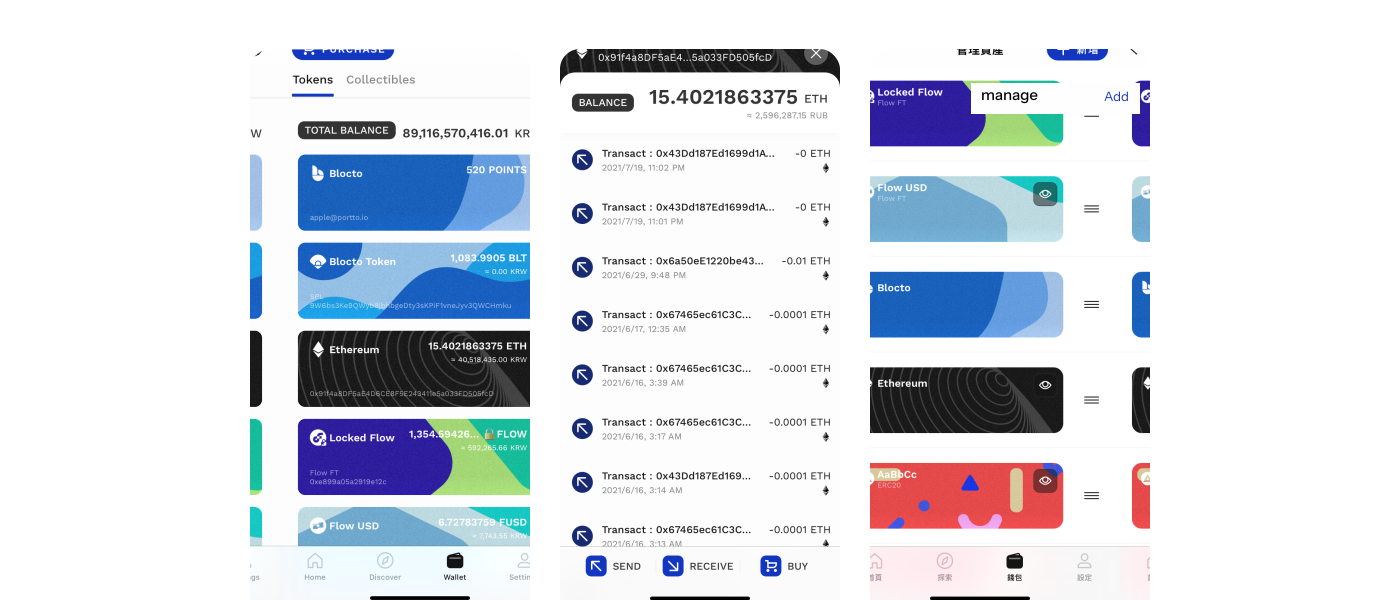
- Why can’t I find my assets?
- Where do I tap to send a token?
- Why so many cards for one token?
- What even is a Blocto Point?
Every one of these came from a real user. The screen held so many cards that the simple things, finding a token or sending it, got lost in the noise.
The old page · 2021
Now everything has its place.
Approach
It came down to three things.
In controlIt’s always clear which chain you’re viewing, so your assets never feel scattered.
In reachThe actions you use most sit out in the open, always a tap away.
At a glanceYour holdings read in a single look, so there’s nothing to second-guess.
01
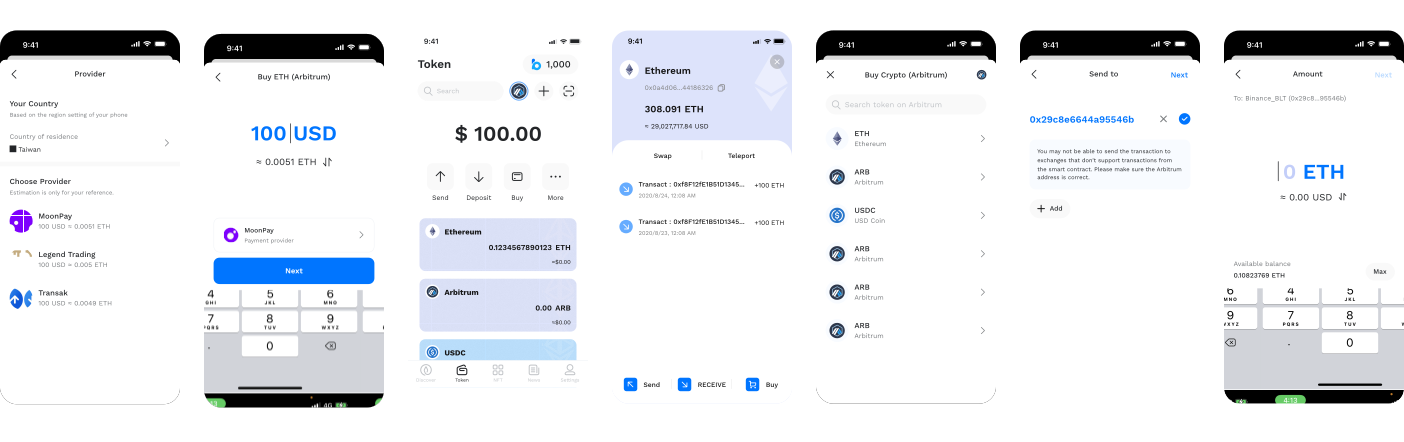
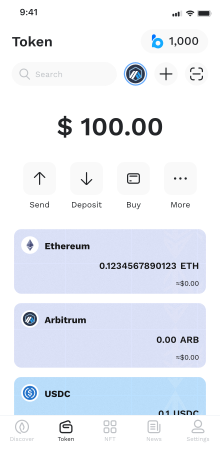
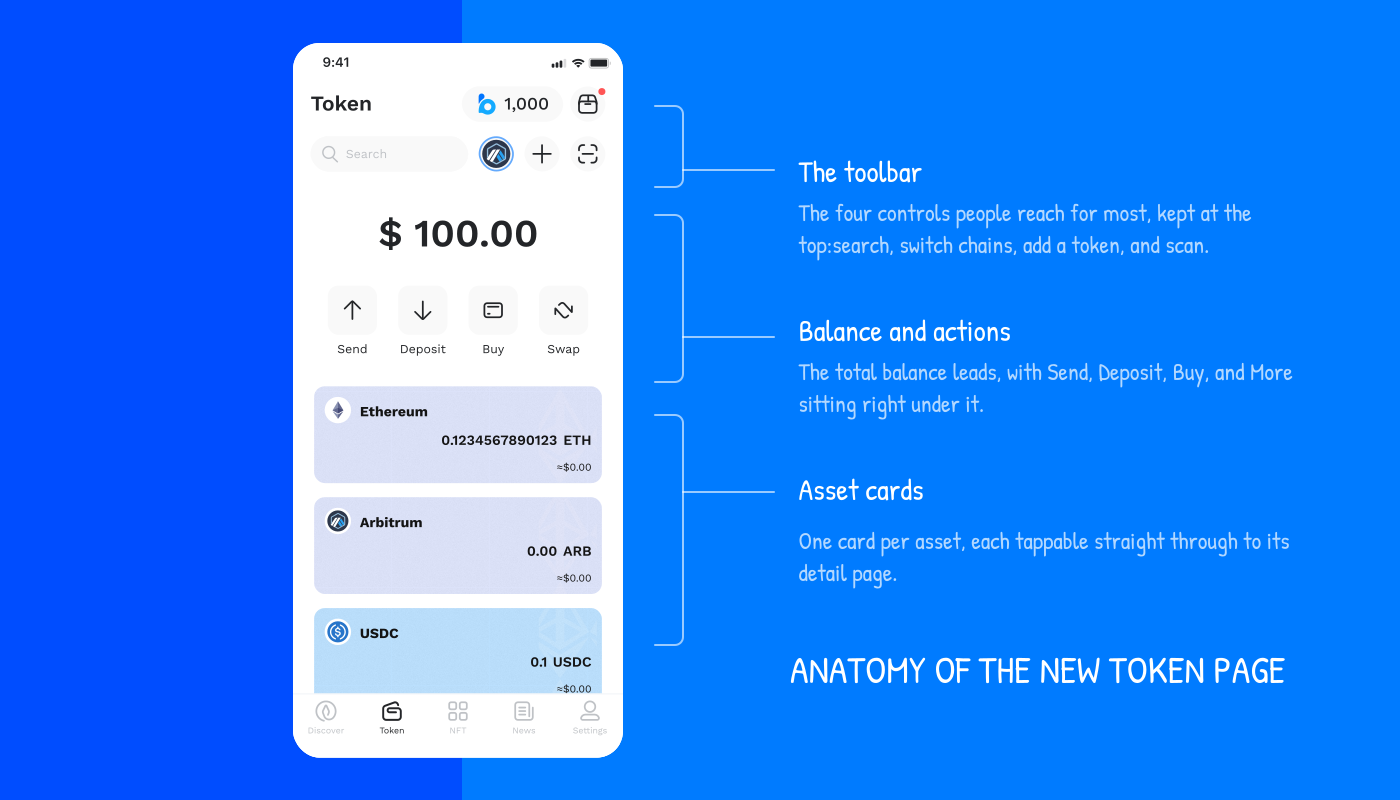
The Token page settles into three layers: a toolbar, your balance with the main actions, then one card per asset. Nothing to dig for.
02
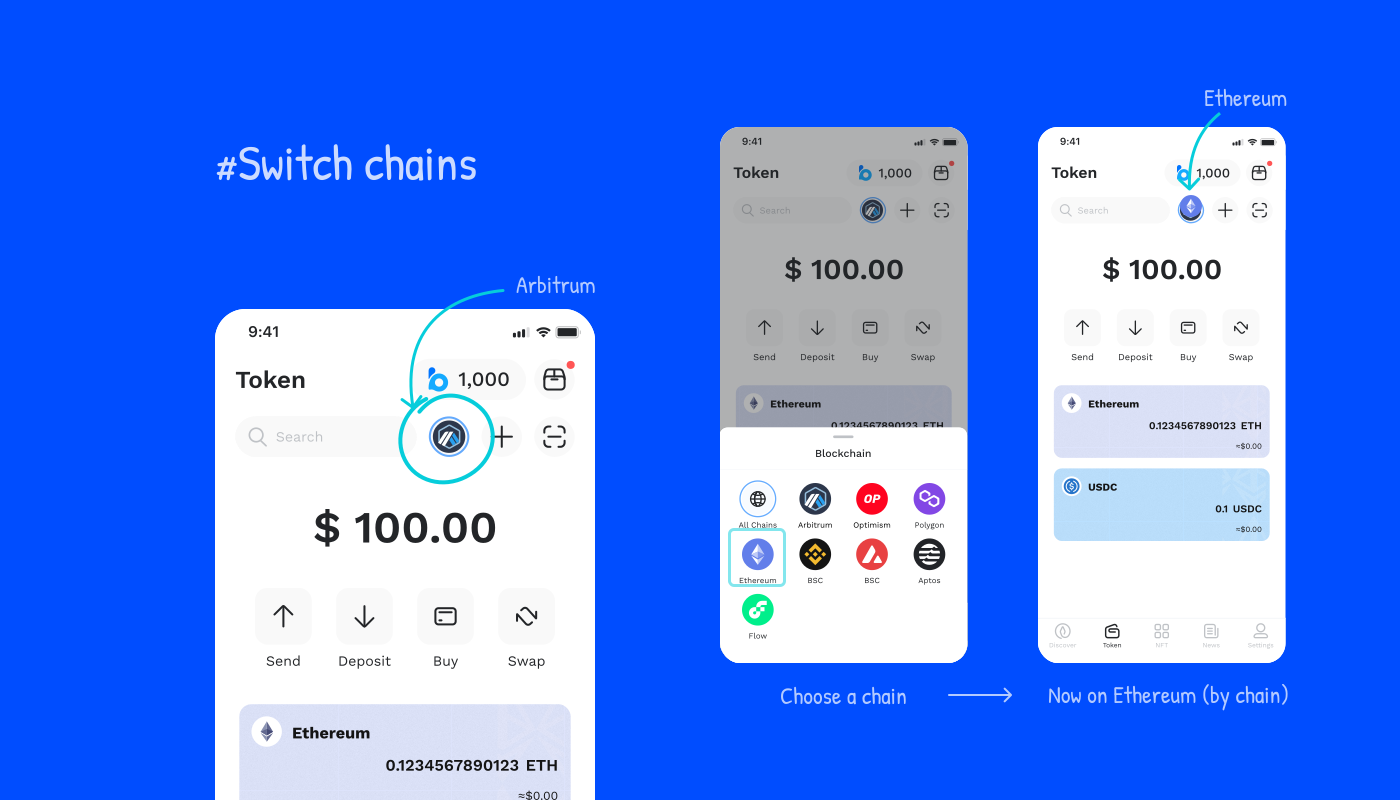
A chain picker shows one network or all of them, with assets grouped by chain or by token.
03
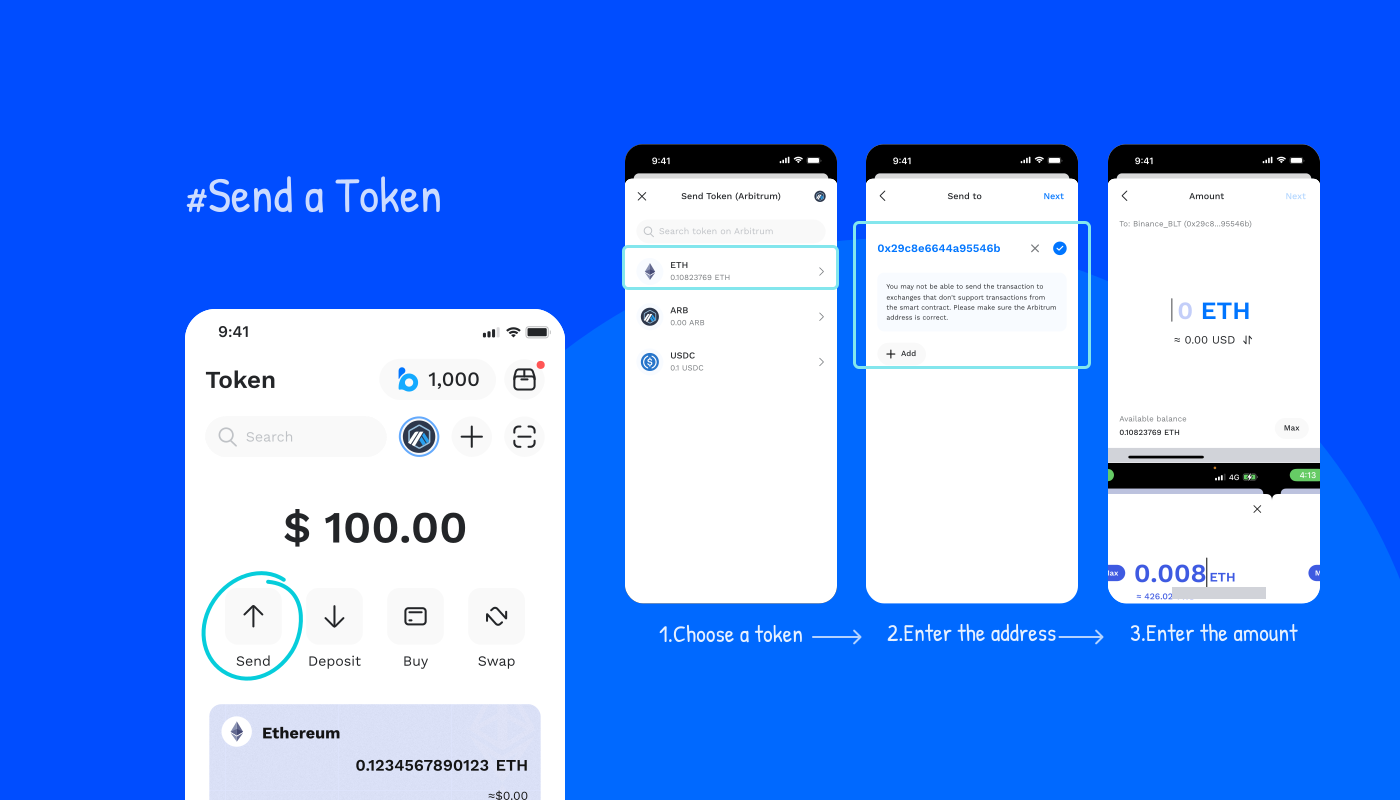
Sending is three steps: pick the token, enter the address, set the amount. The same path every time.
04
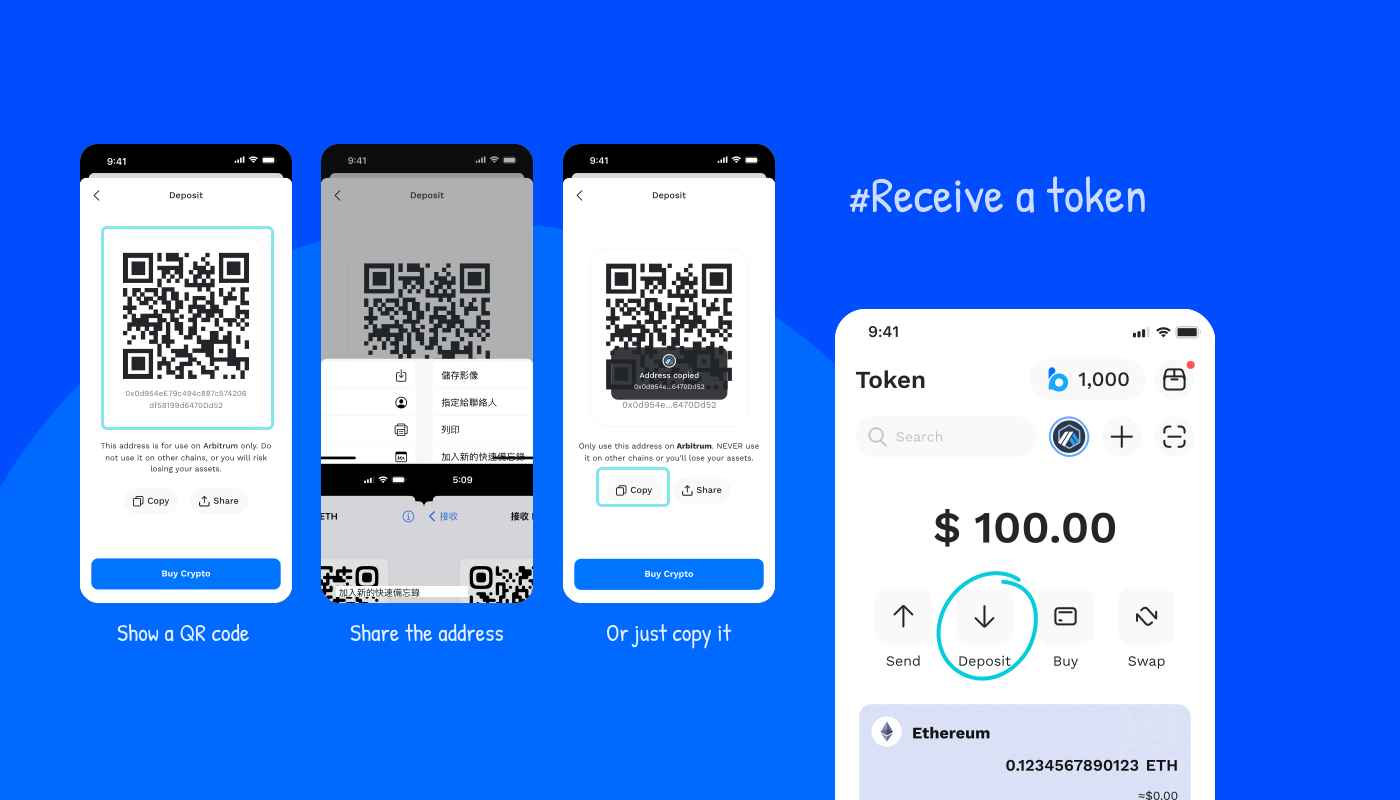
Receiving works three ways: show a QR code, share the address, or copy it.
05
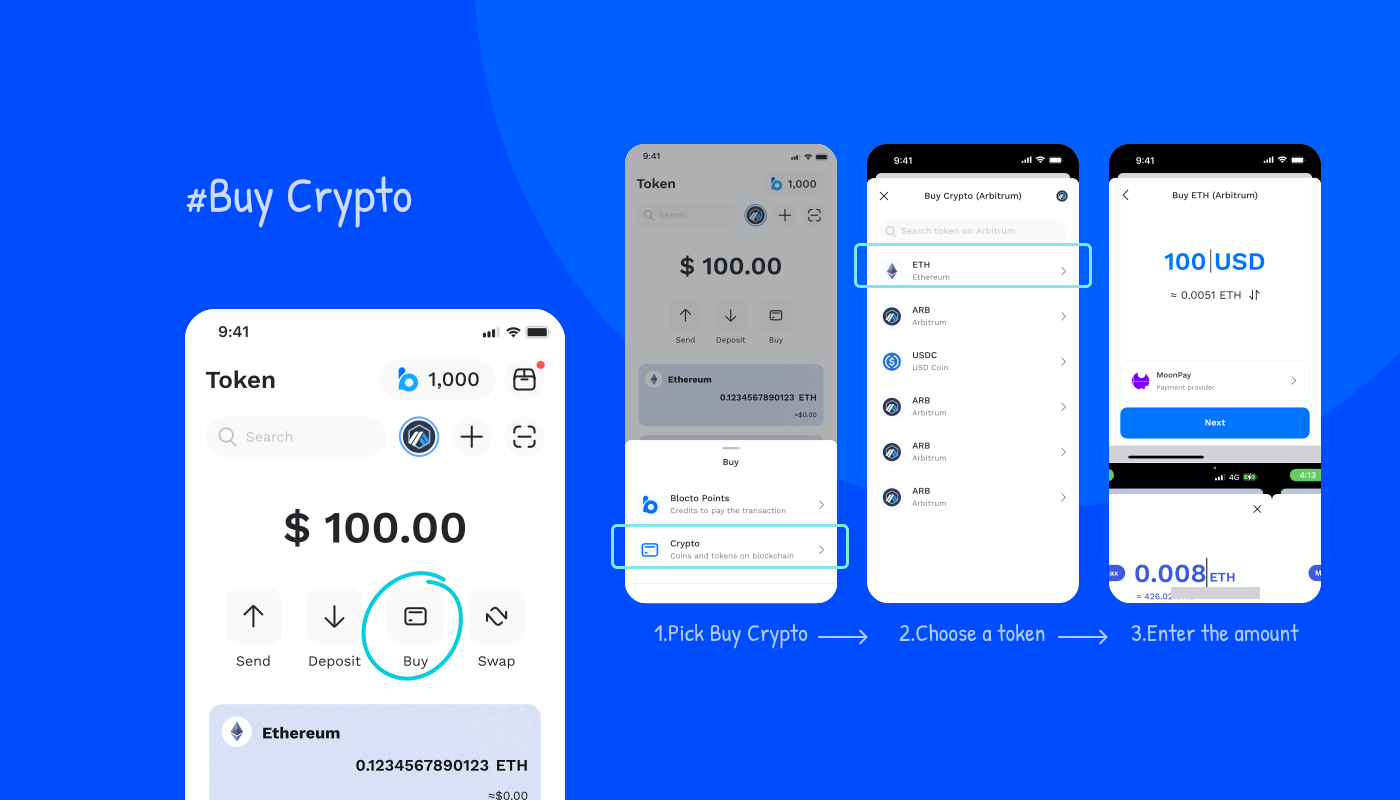
Buying lives inside the wallet: tap Buy Crypto, pick a token, set an amount. No exchange, no leaving the app.
The NFTs were there. The interface buried them.
Pain points · Users kept asking
- Where are my NFTs?
- Why does it take so many taps just to see one?
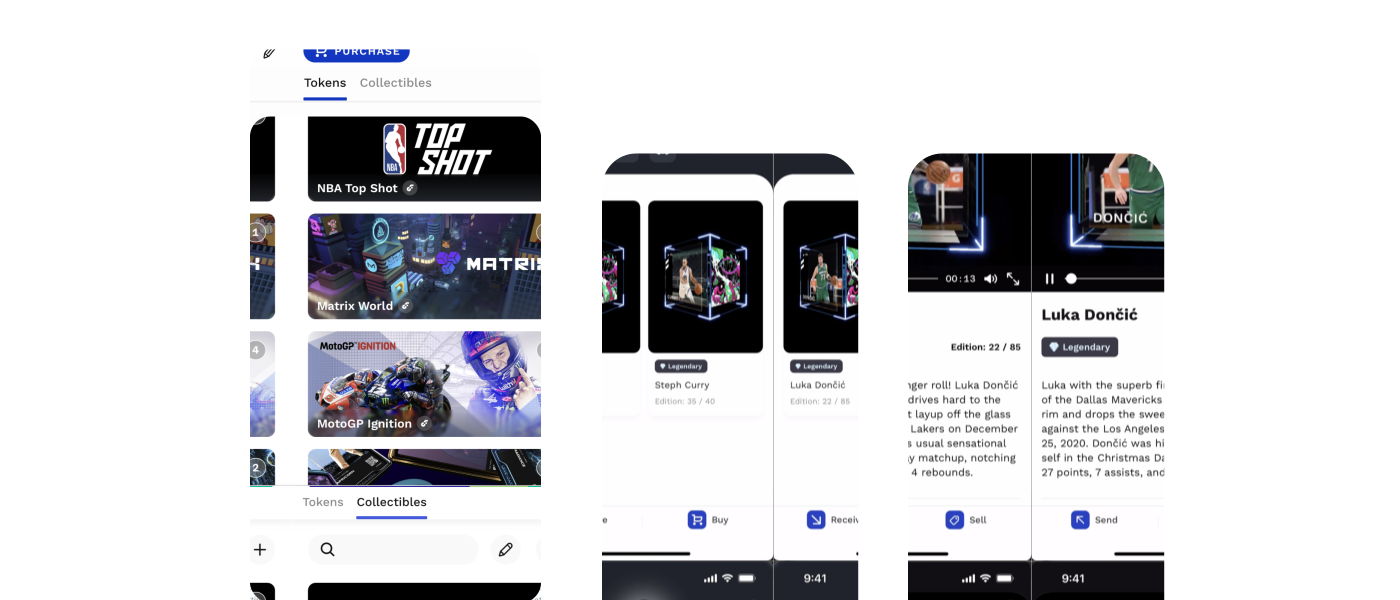
NFTs shared a tab with tokens, so most people never noticed they were there. Each collection then sat behind its own themed cover, so reaching a single piece meant tapping down layer after layer. The whole collection ended up scattered across separate rooms, and browsing it became a chore.
The old page · 2021
Now the whole collection shows up at once.
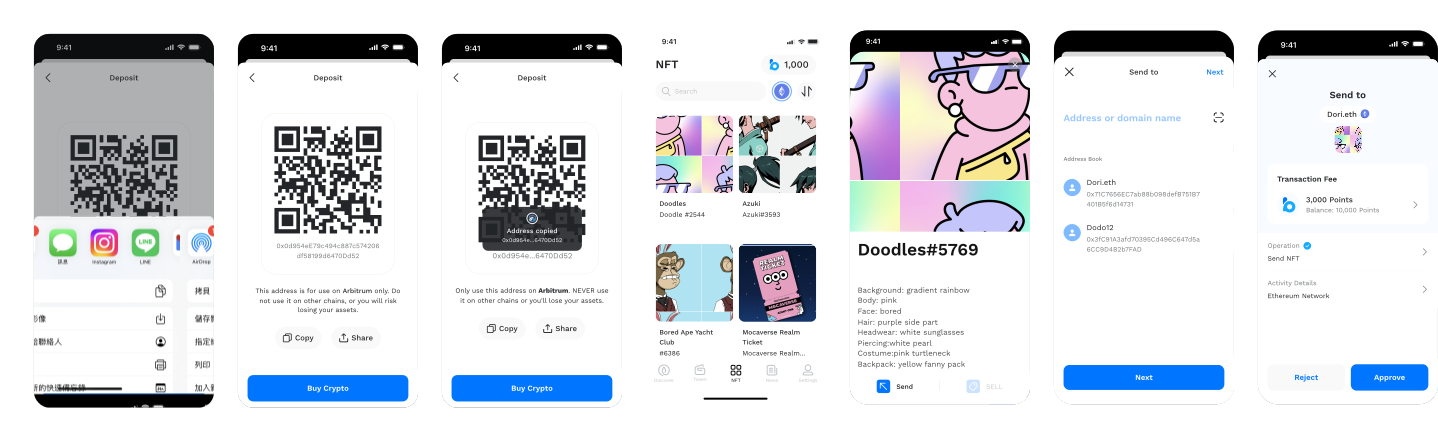
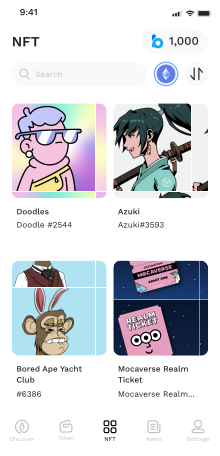
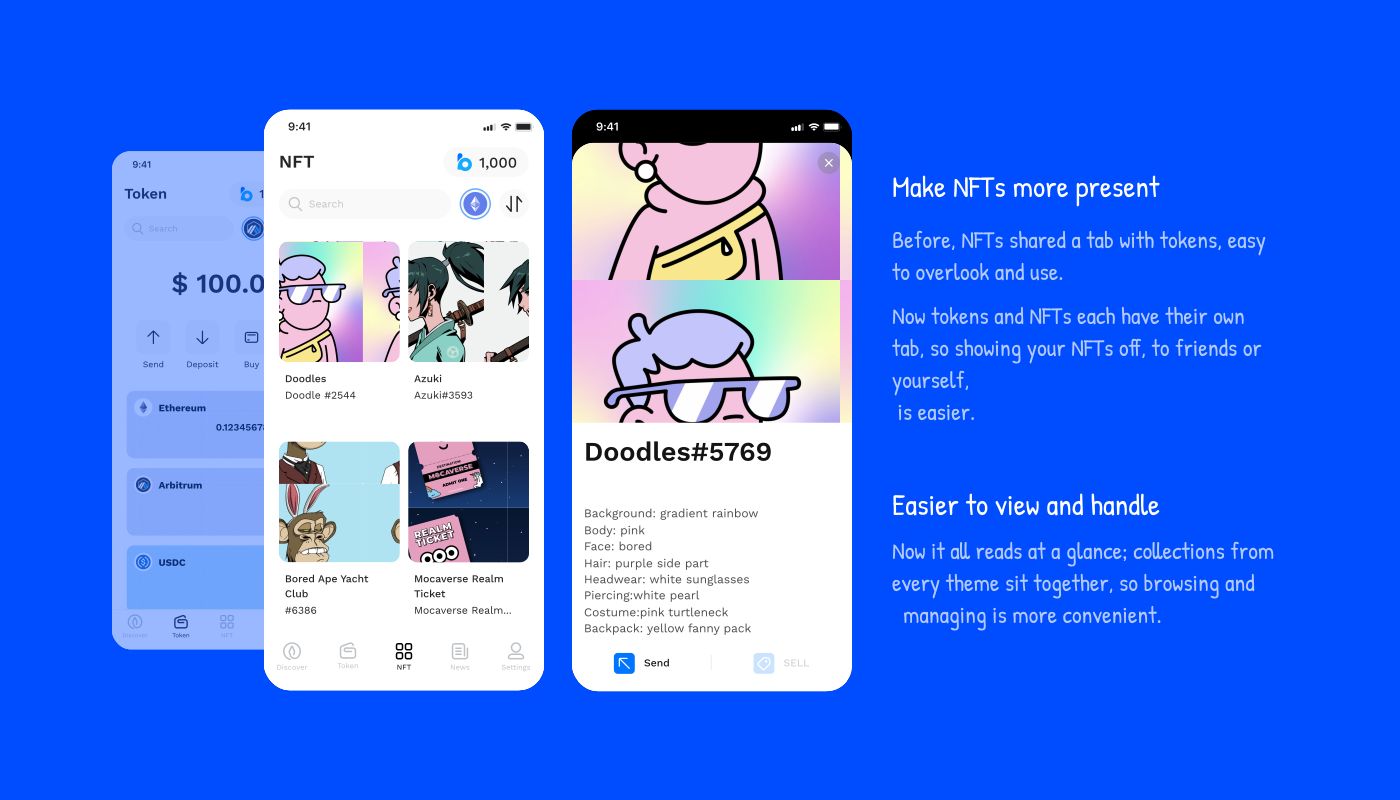
A tab of their ownNo longer buried alongside the tokens. NFTs get a tab of their own, the whole collection on one screen, so showing a piece off, to a friend or just yourself, takes a single tap.
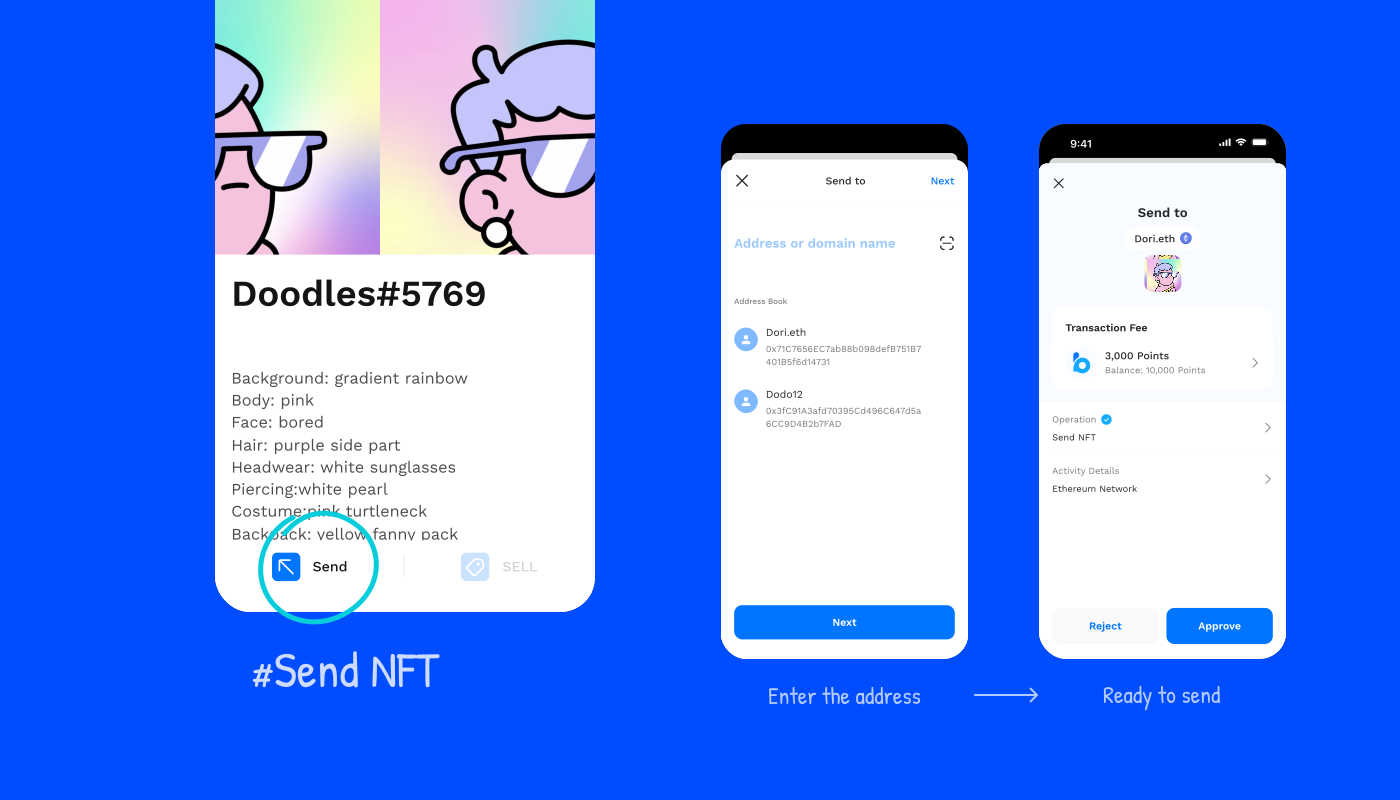
Open one, send oneTap any piece for the full view, every trait in plain sight. Sending it on sits right there on the same screen, no extra steps.
01
The whole collection in one grid, each piece a tap from its details.
02
Send it on from the same screen.
Takeaways
The wallet was never really finished. From the day I joined, it kept growing, one chain and one feature at a time.
- Blocto is a smart contract wallet, not the key-based kind every EVM chain assumes. Making that model feel native on each new chain was the constant challenge.
- Every screen was a tug-of-war between what the chain allowed and what people already expected from a wallet. Design was where the two met.
- I came out fluent in how wallets actually work, keys, gas, chains and all. That fluency is what I design with now.